
Explore with no login
Open the workspace, compare available models, switch between text and image workflows, and prepare an AI girlfriend prompt before creating an account.
Create an AI girlfriend video from a written scene or an existing girlfriend image. Direct her expression, movement, camera, atmosphere, and pacing, then turn one focused idea into a short virtual girlfriend clip.
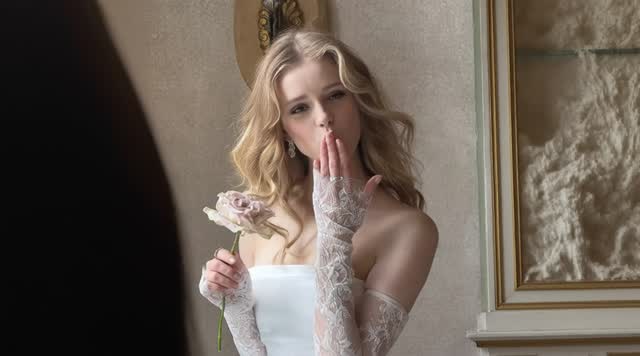
Start with Image to Video when you want to preserve the appearance of an existing AI girlfriend, or use Text to Video to design a new virtual girlfriend and scene.
Loading history...
Your generated girlfriend clips will appear here after you add an image or prompt.
A no-restrictions AI girlfriend video generator reduces common access barriers such as being forced to sign up before exploring, needing a credit card just to inspect the tool, narrow model choice, and hidden generation caps. It does not mean anonymous, unlimited, or unmoderated use. ImageVids AI lets you explore models and prepare a girlfriend prompt before login, then requires sign-in and credits to generate.
Open the workspace, compare available models, switch between text and image workflows, and prepare an AI girlfriend prompt before creating an account.
Eligible new users can receive trial credits after signing in and test a virtual girlfriend clip before choosing a paid plan. Free access is a limited trial, not unlimited generation.
Every submitted video uses credits. Model, duration, resolution, audio, queue, account, export, technical, and content-policy limits can apply, with cost shown before generation.
Access rules and output quality are separate. Girlfriend video quality depends on the source image, selected model, prompt, motion complexity, duration, resolution, and settings.
Use these AI girlfriend examples to plan expression, motion, framing, and atmosphere. Each direction shows how a simple girlfriend portrait can become a focused short video.
SHOT 01Keep your AI girlfriend centered and request one restrained gesture. Small expression changes, natural blinking, and a slow camera move usually preserve her face better than dramatic action.
The AI girlfriend gives a soft smile and natural blink, turns her head slightly, gentle hair movement, slow camera push-in, warm window light.
 SHOT 02
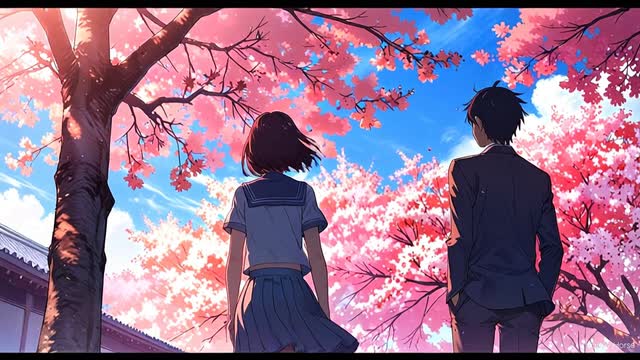
An anime girlfriend can support stronger environmental motion. Separate her action from petals, clouds, light, and camera movement so the romantic scene remains readable.
An original anime girlfriend pauses beneath cherry blossoms; petals drift, her clothing moves in a light breeze, slow cinematic pan.
 SHOT 03
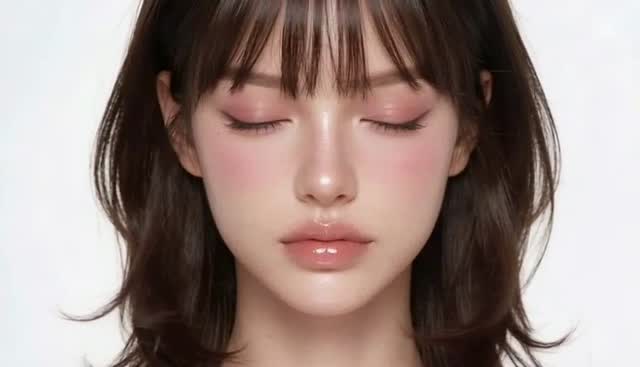
A clean close-up works well for a polished virtual girlfriend profile. Ask the model to protect her facial proportions and signature look while keeping movement minimal.
The AI girlfriend opens her eyes slowly, subtle breathing, steady face shape, soft studio light shift, locked camera, polished editorial finish.
The best girlfriend video results come from treating each generation as one short directed shot. Lock her appearance and composition first, then add only the motion the scene needs.
Describe a new virtual girlfriend with text, create an original girlfriend portrait with the AI image generator, or upload an existing AI girlfriend image you can use.
Give your AI girlfriend one action that fits a few seconds: a smile, a glance, a turn, a wave, a short walk, or one clear interaction with the setting.
Add one camera move, choose landscape or vertical framing for the girlfriend clip, select duration and resolution, and review the displayed credit estimate.
Check whether the same AI girlfriend identity survives across her face, hair, hands, clothing, background, and final frame. If something drifts, simplify one instruction before generating again.
A useful girlfriend motion prompt describes what she does over time. When you upload an image, focus on expression, movement, camera, and atmosphere instead of repeating visible details.
Reusable shot formula
AI girlfriend appearance anchor + one action + expression + camera + environment motion + light + ending frame
For better control, use an original adult AI girlfriend design or a portrait you have clear permission to animate. Do not imitate a real person, public figure, or protected design without the required rights.
Medium close-up of an original adult AI girlfriend at a quiet café. She looks up from a book, smiles naturally, and gives a small wave. Slow handheld push-in, warm afternoon window light, subtle background movement. End on a steady portrait frame.
Original adult anime girlfriend on a rooftop at blue hour. She turns toward the skyline as a light breeze moves her hair and coat. City lights flicker softly, slow pan from the skyline to her face, hold the final frame.
Vertical 9:16 virtual girlfriend clip. She looks into camera, smiles, and points toward the glowing city behind her. Natural blinking, controlled gesture, smooth two-second push-in, clean ending for a short-form edit.
Keeping the same girlfriend recognizable is one of the hardest parts of AI video. An image-led workflow usually gives this generator a clearer identity anchor than a long text description alone.
Name the AI girlfriend details that must stay stable: hair shape and color, face proportions, wardrobe, accessories, color palette, and original composition.
One facial change, one body action, and one environmental effect are easier to preserve than several unrelated actions packed into a short clip.
A slow push-in, locked close-up, or gentle side pan gives the model a clearer path than asking for zooms, cuts, rotations, and reframing at once.
Keep the source and settings stable while changing only motion, camera, or light. This makes it easier to identify what actually improved the next result.
Choose the input that matches your girlfriend concept. Text is useful for discovering a new look; an image is usually better when the same AI girlfriend must carry into motion.
Best for discovering a new AI girlfriend appearance, date setting, outfit, or visual direction from a blank brief.
Describe appearance, scene, action, camera, light, and style. Expect the identity to be reinterpreted between separate generations.
Best for animating an existing AI girlfriend portrait, avatar, anime illustration, or approved reference frame.
Use the image for appearance and spend the prompt on motion. State which face, wardrobe, composition, and colors must remain stable.
If consistency matters, create or approve the source image first, then use Image to Video for each shot.
Design the girlfriend portrait, animate the strongest frame, compare video models, and understand credit costs before generating more scenes.
Design an original AI girlfriend portrait from text, refine her appearance, and send the strongest image into the video workflow.
Explore this tool02Compare text-to-video and image-to-video models for AI girlfriend motion, camera direction, duration, resolution, and audio.
Explore this tool03Animate an existing girlfriend portrait with natural blinking, expression, hair movement, and controlled camera motion.
Explore this tool04Compare trial credits, generation capacity, resolution options, queue access, and commercial permissions before creating more girlfriend videos.
Explore this toolThis generator creates a short virtual girlfriend video from a text prompt or source image. You can direct her appearance, expression, movement, camera, lighting, and atmosphere, then download the generated clip when the selected workflow supports it.
A no-restrictions girlfriend video tool reduces barriers such as forced registration before exploration, credit-card requirements just to inspect the product, limited model choice, and unclear generation caps. It does not automatically mean anonymous, unlimited, unmoderated, or free generation. ImageVids AI requires sign-in and credits when you submit a video.
Eligible new ImageVids AI users can receive free trial credits after signing in. Each generation uses credits according to the selected model and settings, so free access is a limited trial rather than unlimited video generation.
You can explore the workspace, compare models, select a mode, and prepare an AI girlfriend prompt without logging in. ImageVids AI requires an account when you submit so trial credits, usage, history, files, and moderation can be managed. No credit card is needed simply to explore the page.
No. Free access uses trial credits rather than unlimited girlfriend video generations. Each run consumes credits based on the model, duration, resolution, and options. Queue, model, export, account, technical, and content-policy limits also apply.
No. Access barriers and video quality are separate. Output quality depends on the girlfriend source image, selected model, prompt, duration, resolution, motion complexity, and settings. Higher-resolution or higher-cost options may require more credits or an eligible plan.
Yes. Choose Image to Video and upload an original AI girlfriend image or another portrait you can use. Describe her motion and camera direction while identifying the face, wardrobe, and composition that should remain stable.
Start with a clear, well-lit portrait and request restrained motion. Natural blinking, a small expression change, subtle breathing, and one slow camera move usually look more believable than complex action in a short clip.
Reuse the same approved source image and repeat the important identity anchors in every prompt. Keep framing and settings stable, generate one shot at a time, and avoid changing hairstyle, wardrobe, face description, and scene logic simultaneously.
Commercial use depends on your ImageVids AI plan, the selected model terms, and the rights attached to every input. Use original or licensed assets and review the current pricing, terms, and content policy before advertising, client work, resale, or public distribution.
Start with a girlfriend prompt or source image, keep her motion focused, and use the AI girlfriend video generator to turn the strongest portrait into a short, editable scene.