
No prompt to figure out
The outfit change and gentle movement are already set up. Upload your photo without writing instructions or editing the clothing by hand.
Try a new bikini look for free without logging in. Upload a photo in your everyday clothes and create a short bikini video, with the outfit change and movement already set up. No prompts to write.
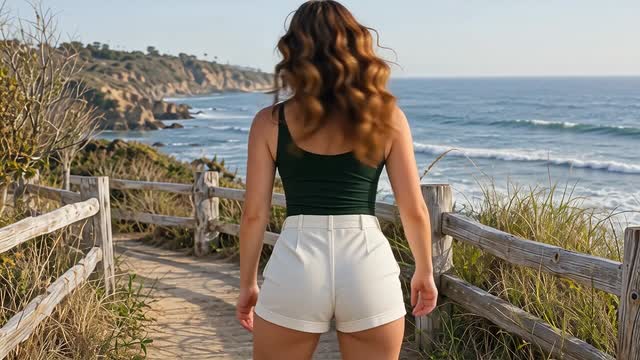
See the bikini looks and movement in these sample clips. Your photo and chosen model will shape your own result.
A dress, a T-shirt, or a casual outfit can be your starting point. The AI bikini effect creates a new swimwear look and brings it into motion in the same video.
The AI creates the bikini design for you. All you need to choose is your photo and model.
The outfit change and gentle movement are already set up. Upload your photo without writing instructions or editing the clothing by hand.
Keep your photo uploaded and switch models for a new version. Open the completed clips in Your videos, compare them, and download your favorite.
Give the AI a clear view of your face, waist, and hips. A standing portrait or a wider mirror selfie is a useful place to start.
One JPG, PNG, or WebP photo · Up to 5 MB
Choose my photoStart with your photo. The bikini effect takes care of the outfit change and animation.
Choose a photo from your device or drop it into the upload area. AI Bikini is already selected when you open this page.
Choose a Grok Imagine, ImageVids 1.0, Wan or Kling model, then click Create bikini video. You can leave the outfit and movement to the effect.
When the clip is ready, open it in Your videos. Check the face, outfit edges, and movement, then download the version you want to keep.
Pair your original photo with the bikini video in your own video editor. A simple cut gives your post a clear starting look and a moving reveal.
Create a video for my editPlace your source photo at the beginning so viewers can see the first outfit.
Follow it with the generated clip to show the new look in motion.
Crop the landscape clip for a vertical Reel or Story, then add your music or captions.
Write your own video prompt, create a starting image, or try another photo effect.
Describe your own scene and movement when you want to go beyond this preset effect.
Create an original adult character or scene, then save the image to use in a video.
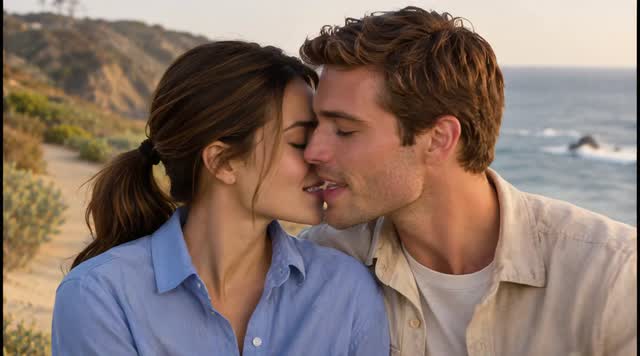
Turn your photos into kissing, hugging, or dance clips with another ready-made effect.
What you can choose, what you get, and how to try again.
Yes. The AI Bikini Video Generator is free to use without logging in. Upload your photo, choose a model and create a bikini video online.
The bikini design is generated automatically. This effect has no color picker or swimsuit reference upload. Use it to explore a new look; it cannot show how a specific product will fit.
Your photo guides the result, but AI can change facial features, body proportions, and small details. Preview the full clip and compare it with your original before choosing a version to save.
Yes, if it shows enough of your outfit. A wider mirror selfie gives the AI a view of your waist and hips. A close-up of your face leaves most of the outfit outside the frame.
Video length, resolution and audio depend on the selected model’s effect preset. Preview the finished result before downloading. You can add your own music in an editor afterwards.
Yes. Use this page in your phone's browser to upload from your camera roll, generate, preview, and download. You don't need to install a separate app.
Start by checking the source photo. If the face is blurry or the outfit is hidden, try a clearer, wider shot. If the photo is already clear, try another model. Each new generation can change the look.
You can download the clip and use it in your own edit. Use photos you have permission to edit and share, and follow the platform's rules for AI-generated content. Check the service terms before using it in ads or client work.
Your photo is uploaded to generate the video. See the Privacy Policy for how uploads and generated content are handled.
Pick a photo, try the effect, and preview your own bikini video.