Free AI Twerk Video Generator Online

Turn one full-body photo into an AI twerk video for free, without logging in. The dance is already set up—upload your photo, choose a model and create a clip for your next meme or reaction.

Create an AI twerk video

Video Effects

AI Twerk

Model

AI Twerk Video Examples

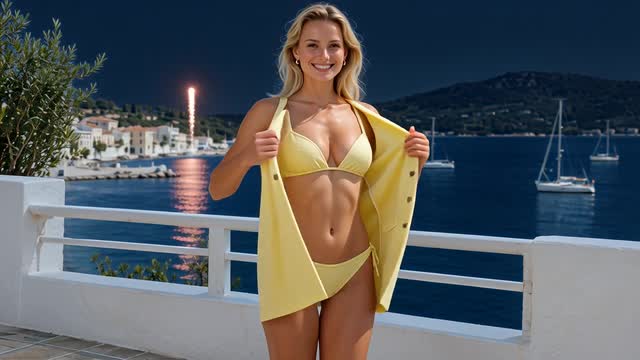
Get a feel for the dance before you use your own photo. Swipe or scroll to see more clips.

A twerk effect built around your photo

Choose the person and the setting in your photo. The dance instructions are ready to go.

Skip the choreography

You don’t need to film a dance or find a reference video. The effect is set up for rhythmic hip movement, a small knee bend and steady framing. Start with a photo and let the model create its take.

  • No dance recording needed
  • No prompt to write
  • Preview before you download
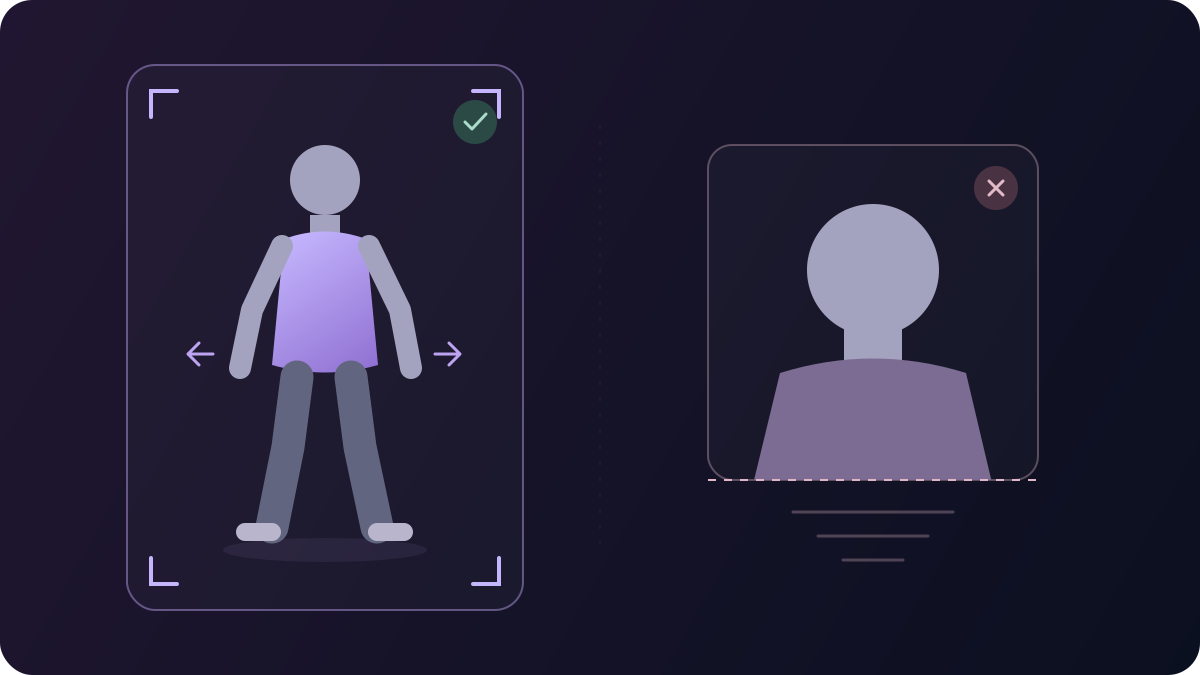
Photo framing guide comparing a standing full-body figure with a tight portrait crop that leaves the legs out of frame

Start with the look you want to animate

Your source photo is the starting point for the face, outfit and background. Choose a casual shot, a party look or a studio portrait with the whole body in view. Leave space around the person so there’s room for the movement.

Keep hips, knees and feet visible.

One JPG, PNG or WebP image · Up to 5 MB

Why make your twerk video on ImageVids AI?

Keep your source photo and finished takes together while you explore the dance you want.

Try the same photo with another model

Choose from Grok Imagine, ImageVids 1.0, Wan and Kling models in the same workspace. Keep your image in place while you try another interpretation of the movement.

Choose a take after you’ve watched it

Open your finished clips in Your videos to compare the expression and movement. Download a favorite once you’ve seen how the dance plays out, without juggling files first.

Return to an idea with Redo

Redo brings a compatible saved video’s source photo and model back into the form. Keep that starting point or swap in a new shot before generating another version.

Put the dance into your next post

Download the clip, then add music, captions or a new crop in your usual video editor or social app.

A reaction that feels like you

“Me when Friday finally arrives.”

Use a photo of yourself and let the dance deliver the reaction. Add a short caption above the action so the joke is readable without covering the movement.

An outfit reveal with a beat

Still photo first. Dance clip next.

Pair your original photo with the generated take in your editor, then cut between them as the track starts. Preview a vertical crop before posting so it keeps the full movement in view.

How to make an AI twerk video

The twerk effect is already selected. Start with a photo and follow your result in Your videos.

  1. Step 1

    Add your photo

    Upload a clear photo of one standing adult. You’ll see it in the upload panel before you generate, so you can check the framing or choose a different shot.

  2. Step 2

    Choose a model and create

    Pick an available model and click Create twerk video. The motion is already set up, so you don’t need to write a prompt.

  3. Step 3

    Watch it and save your favorite

    Open the finished clip in Your videos to preview the dance. Download the version you want to use, ready for your next post or edit.

Create a starting image, write your own movement instructions or try a different photo effect.

AI Twerk Video Generator FAQs

What to know about photos, prompts, free access and the finished clip.

Is the AI twerk video generator free?

Yes. The AI twerk video generator is free to use online. Upload a full-body photo, choose a model and create your dance video.

Can I make a twerk video without signing up?

Yes. You can generate a twerk video without signing up or logging in. Upload your photo and start creating directly in your browser.

Will a selfie or group photo work?

A full-body photo of one standing adult is the intended input. A face-only selfie leaves the hips and legs out of frame, while a group photo makes it unclear whom to animate. Choose a shot with the whole person visible.

Can I change the twerk prompt or dance style?

This page uses prepared dance instructions, so there is no prompt to write or edit here. For a different movement or camera direction, use the AI Video Generator linked above and describe the action there.

Will my face and outfit stay exactly the same?

Your photo guides the appearance, but AI can change details as the person moves. Preview the face, hands and outfit in the finished clip before choosing the take you want to share.

How long is the video, and when will it be ready?

Clip length depends on the selected model’s effect preset. Processing time also varies by model and demand. Follow the task status in Your videos, then preview the finished clip before downloading.

Does the video come with music?

Audio depends on the selected model. Download the clip and add your own track in an editor or social app, where you can choose how the dance lines up with the beat.

Can I download a GIF or make a loop?

The download is a video file. Convert it to a GIF in a separate editor if you need one. For a loop, trim between two similar poses and preview the join; matching first and last frames are not guaranteed.

Can I animate someone else’s photo?

Use your own photo or one of an adult who has agreed to this dance animation. Only upload images you have permission to use, and make clear that a realistic result is AI-generated when sharing it.

Your next reaction starts with one photo

Pick a full-body shot, try the twerk effect and keep the take that makes you smile.

Make my twerk video