
Single Image
Make a Couple Photo Kiss
Upload a photo with both people in it. The AI uses their faces and surroundings as references to create a short kissing video. Start with a clear selfie or couple portrait.
Turn one couple photo or two portraits into a kissing video for free. Use our AI kissing generator without logging in—no prompts or editing skills needed.
Prepare your photos, choose a model and create. You can complete the setup on this page.
Choose Single Image for a photo of both people, or Dual Image for one portrait in each slot. Keep both faces clear and leave room around their heads for movement.
Choose an available model and click Create. The kissing effect is already set up, so there’s no prompt to write.
Follow the status in Your videos. When the clip is ready, preview and download it, or use Redo to prepare another take.
A closer look at the expressions, movement and feel of an AI kissing video.
Upload a couple photo or two portraits. The AI adds the kissing motion, and you can preview and download the finished video.
Single Image
Upload a photo with both people in it. The AI uses their faces and surroundings as references to create a short kissing video. Start with a clear selfie or couple portrait.
Dual Image
Only have individual photos? Add one of each person. The AI brings them together in a shared scene, so you can create a kiss video without combining the photos yourself.
The effect is set up for a gentle approach, a brief kiss and a smile. It guides head turns and facial movement using your photos as references, with no animation work for you to do.
Try different models to compare facial detail, movement and the overall look. Your photos stay in place when you switch to another compatible model, making it easy to find a result you like.
Create kissing videos for free, without logging in or learning video editing. Preview the result and download your favorite version.
Make a kissing video with your own photos for free. You don’t need to create an account—upload a couple photo or two portraits and get started.
Upload your photos, choose a model and click Create. The kissing effect is already set up. There is no prompt to write or video editor to learn.
Compare your clips and choose the one with the facial detail and movement you like best. Several model options give you more ways to find the right look for your photos.
Make your video in a phone or computer browser. Upload photos, generate and download from the same page without installing an app.
Use Redo to restore the photos and model from a compatible saved clip. Change a photo or try another model without uploading everything again.
Download a finished clip from Your videos and save it to your device. Send it in a personal message or add it to an anniversary greeting or social post.
Use the dedicated kiss effect here, or choose a tool with a different creative task.
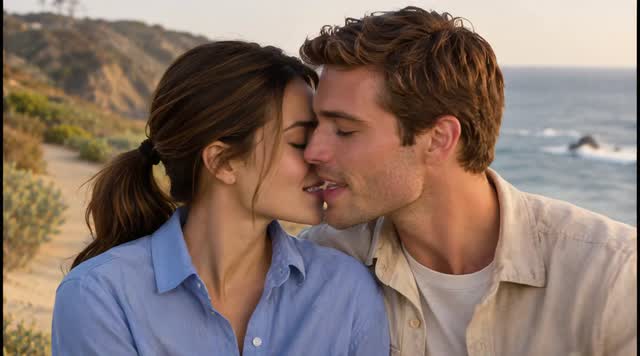
Create a sustained romantic kiss with small head tilts, instead of a brief kiss and a smile.
Return to the effects collection to explore the available photo animation tools.
Write your own scene and choose more video settings. Add your photos in that workspace to begin.
Explore other ways to animate portraits and still photos, beyond a kissing scene.
Learn more about the model family available for two-image references.
Answers about free access, source photos and what to expect from your clip.
Yes. The AI kissing generator is free to use online. Upload a couple photo or two portraits, choose a model and generate your kissing video.
Yes. You can upload your photos and generate a kissing video without logging in or creating an account.
Yes. Choose Dual Image and upload one adult portrait in each slot. You do not need matching backgrounds, but similar lighting, head size and camera height make the pair a more useful reference. The model creates a new scene rather than preserving two separate settings exactly.
Upload JPG, PNG or WebP files up to 5 MB each. Choose clear, unobstructed faces rather than a crowded group shot. In a couple photo, a relaxed pose with the partners close together gives the motion less distance to bridge. For separate portraits, avoid pairing a distant full-body shot with a tight face crop.
AI Kissing uses a preset motion. Select Change to try another video effect. To write your own prompt or adjust more video settings, open the AI Video Generator linked above.
Turns, overlapping faces and close contact can make facial details drift. A sharper photo, a smaller gap between the partners and less head rotation can help. Keep hands and loose hair away from the faces. If two portraits still lose the likeness you want, try a clear photo together.
Waiting time varies with the model and service demand. Follow the task status in Your videos; when the generation finishes, you can preview and download the clip there.
Yes, a completed clip can be downloaded from Your videos. Use photos of adults who have agreed to this edit, confirm permission before sharing and identify the result as AI-generated. Do not present the scene as a recording of a real event.
Choose one photo together or two portraits. Your current draft stays in the generator while you explore this page.